THE PROCUREMENT LIFECYCLE
STREAMLINE YOUR PROCESS FROM REQUEST TO AWARD AND BEYOND
PlanetBids simplifies the procurement lifecycle from start to finish, giving your team the tools to eliminate manual entry, improve transparency, boost competition, and reduce risk.


HOW IT WORKS
Covering Procurement from Start to Finish
 Intake
Creation
 Sourcing
 Bidding
 Evaluation
 Award
Award
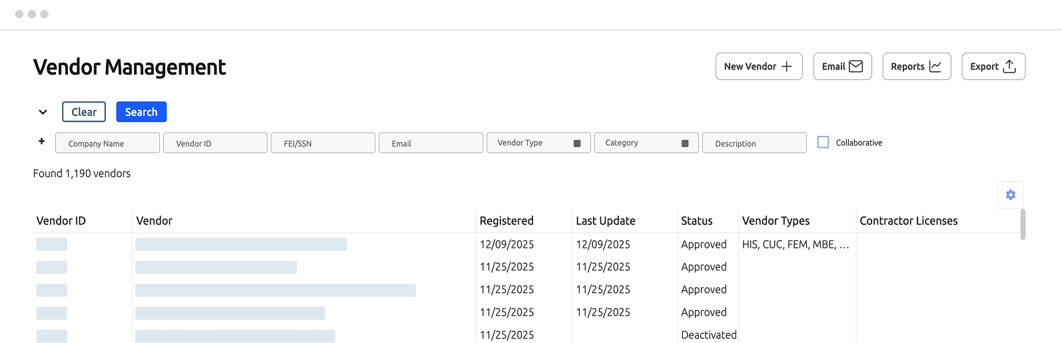
 Vendors
Intake
Creation
Sourcing
Bidding
Evaluation
Award
Vendors
FEATURES
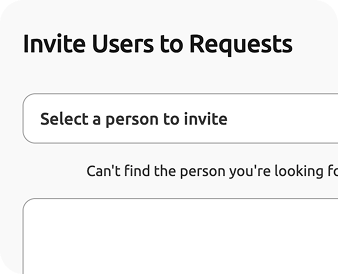
Unlimited Requests Users
Give anyone in your agency access to create and submit new purchase requests at no extra charge.
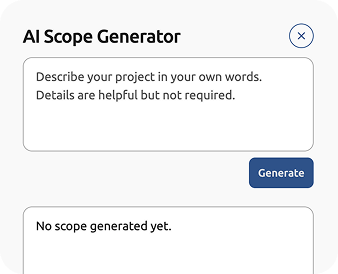
AI-Powered Scope Generation
Input request details and let AI build out the scope automatically.
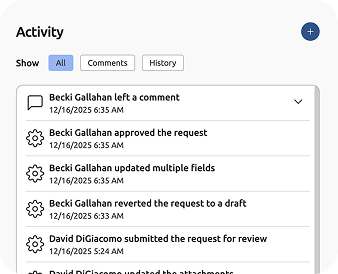
Transparent Processes
Review requests, make comments, send them back for edits, or approve them, keeping everyone updated on status with automatic notifications.
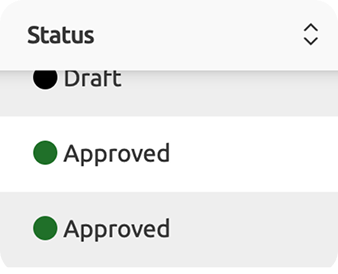
Status Tracking
Search and sort requests by type, department, status, and more so nothing falls through the cracks.
Controlled Access
Set up full or read-only access to see department-specific or all requests and set approval limits based on budget or department.
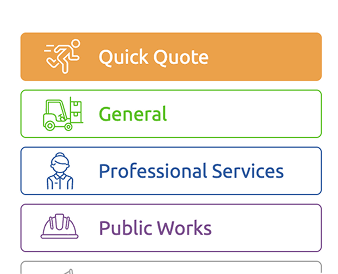
Quick Quotes
Allow agency departments and teams to create their own solicitations for small purchases without going through procurement.
Solicitation Creation
Transition approved requests into new solicitations, including any relevant submitted files or documents, with the click of a button.
FEATURES
Unlimited Requests Users
Give anyone in your agency access to create and submit new purchase requests at no extra charge.

Unlimited Requests Users
Give anyone in your agency access to create and submit new purchase requests at no extra charge.
AI-Powered Scope Generation
Input request details and let AI build out the scope automatically.
AI-Powered Scope Generation
Input request details and let AI build out the scope automatically.
Transparent Processes
Review requests, make comments, send them back for edits, or approve them, keeping everyone updated on status with automatic notifications.
Transparent Processes
Review requests, make comments, send them back for edits, or approve them, keeping everyone updated on status with automatic notifications.
Status Tracking
Search and sort requests by type, department, status, and more so nothing falls through the cracks.
Status Tracking
Search and sort requests by type, department, status, and more so nothing falls through the cracks.
Controlled Access
Set up full or read-only access to see department-specific or all requests and set approval limits based on budget or department.
Controlled Access
Set up full or read-only access to see department-specific or all requests and set approval limits based on budget or department.
Quick Quotes
Allow agency departments and teams to create their own solicitations for small purchases without going through procurement.
Quick Quotes
Allow agency departments and teams to create their own solicitations for small purchases without going through procurement.
Solicitation Creation
Transition approved requests into new solicitations, including any relevant submitted files or documents, with the click of a button.
Solicitation Creation
Transition approved requests into new solicitations, including any relevant submitted files or documents, with the click of a button.
PROBLEMS SOLVED
- Unstructured request processes cause confusion and lead to missed or delayed purchases.
- Lack of visibility into approval processes and unclear timeline expectations cause frustration.
- Manual document creation and version control issues create inefficiencies and errors.
- Inconsistencies across departments set up compliance risks and lack of transparency.
BENEFITS
- Eliminate the bottleneck between request submission and approval.
- Improve reporting and auditability.
- Boost transparency by setting clear timelines and expectations.
- Reduce time spent on initial requisition and solicitation creation.
- Control access to maintain approval trails.
HOW IT WORKS
Internal users with limited or full free access to Requests in PlanetBids Solicitations submit a purchase or solicitation request directly to your team. Procurement reviews, comments on, and denies or approves the request, providing documented feedback at every stage of the process.
Once approved, procurement converts the request into a solicitation utilizing existing templates or a new solicitation. Templates in Solicitations and Documents allow them to pull from past solicitations, while an integrated RFx Library allows them to borrow language from similar solicitations or agencies.
FEATURES
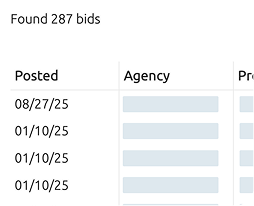
Comprehensive RFx Library
Access a deep database of projects and language from other PlanetBids agencies to build clearer solicitations and support complicated co-op and joint venture RFPs.
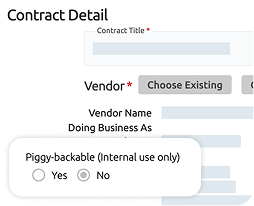
Piggy-backable and Cooperative Contracts
Find and utilize contracts already in place to avoid going out for bid if possible.
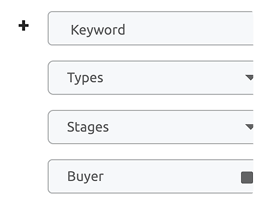
Nationwide Search
Search categories, stages, types, and more to find solicitations related to your purchase.
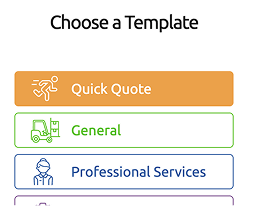
Unlimited Templates
Upload as many solicitation types as you want without additional configuration or upcharges, create a template from an existing solicitation, or create new solicitations on the fly.
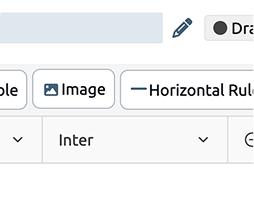
Document Creation
Import or create and save documents as needed, with AI-powered editing to transform drafted text into clear, professional language.
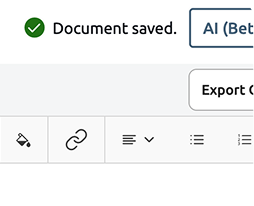
Real-Time Editing
Update permissions as needed per document or across all, tag users to highlight areas that need attention, see comments in real time, and lock sections for editing once approved.
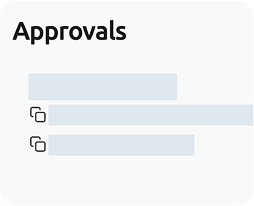
Streamlined Approvals
Tag individual users for faster approvals without the email back-and-forth.
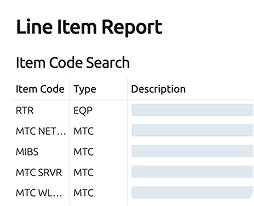
Line Item Cost Reports
Look back at historical pricing to set expectations for project costs and timelines.
FEATURES
Comprehensive RFx Library
Access a deep database of projects and language from other PlanetBids agencies to build clearer solicitations and support complicated co-op and joint venture RFPs.
Comprehensive RFx Library
Access a deep database of projects and language from other PlanetBids agencies to build clearer solicitations and support complicated co-op and joint venture RFPs.
Piggy-backable and Cooperative Contracts
Find and utilize contracts already in place to avoid going out for bid if possible.
Piggy-backable and Cooperative Contracts
Find and utilize contracts already in place to avoid going out for bid if possible.
Nationwide Search
Search categories, stages, types, and more to find solicitations related to your purchase.
Nationwide Search
Search categories, stages, types, and more to find solicitations related to your purchase.
Unlimited Templates
Upload as many solicitation types as you want without additional configuration or upcharges, create a template from an existing solicitation, or create new solicitations on the fly.
Unlimited Templates
Upload as many solicitation types as you want without additional configuration or upcharges, create a template from an existing solicitation, or create new solicitations on the fly.
Document Creation
Import or create and save documents as needed, with AI-powered editing to transform drafted text into clear, professional language.
Document Creation
Import or create and save documents as needed, with AI-powered editing to transform drafted text into clear, professional language.
Real-Time Editing
Update permissions as needed per document or across all, tag users to highlight areas that need attention, see comments in real time, and lock sections for editing once approved.
Real-Time Editing
Update permissions as needed per document or across all, tag users to highlight areas that need attention, see comments in real time, and lock sections for editing once approved.
Streamlined Approvals
Tag individual users for faster approvals without the email back-and-forth.
Streamlined Approvals
Tag individual users for faster approvals without the email back-and-forth.
Line Item Cost Reports
Look back at historical pricing to set expectations for project costs and timelines.
Line Item Cost Reports
Look back at historical pricing to set expectations for project costs and timelines.
PROBLEMS SOLVED
- Solicitations saved to individual desktops or shared folders create version confusion and increase risk of error.
- Manual solicitation creation is time-consuming and leaves room for gaps or missing information.
- Complicated project solicitations are missing critical scope or specification details.
- Too many purchase or solicitation requests create a backlog for small teams.
- Projects go out for bid unnecessarily instead of utilizing existing contracts or cooperatives.
- Unclear details lead to ambiguity and overwhelm the team with vendor questions.
- Documents edits are not universal, and multiple document versions exist.
- Approved language gets edited after the fact because it’s not locked.
- Stakeholders miss key comments or questions related to documents.
- Stakeholders have unrealistic expectations for pricing and timelines due to lack of insight into historical data.
BENEFITS
- Create more comprehensive specifications and scopes of work
- Reduce confusion and Q&A on project details
- Streamline solicitation approval and release
- Maintain better version control and auditability
- Source contracts without going out to bid
- Set realistic expectations for project costs and timelines
HOW IT WORKS
Once the request is approved, procurement turns the request into a solicitation or creates a new solicitation from an unlimited template database in PlanetBids Solicitations, utilizing the RFx Library to see how other agencies have scoped out similar projects. If applicable, they can also search through existing contracts and cooperatives to piggy-back the work, avoiding the full-scale solicitation process entirely.
Additional documents are created in PlanetBids Documents, utilizing AI to edit and finalize rough drafts of text and routing edits and approvals throughout the agency as necessary. Line Item Cost Reports and historical data provide stakeholders with projected costs and timelines to set expectations against the budget, and requests for approval of the finalized solicitation are sent automatically to required team members.
FEATURES
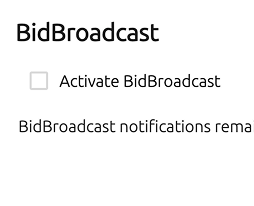
Bid Broadcast
Send solicitation notifications to vendors in a designated search area or search by location, category, and demographics to expand your vendor pool and reach.
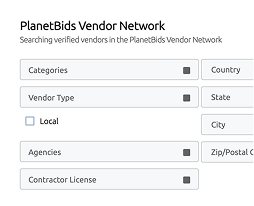
Extended Network
Publish your bid to the entire PlanetBids member agency network of vendors and suppliers.
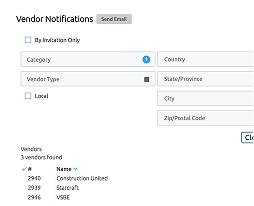
Notification Criteria
Set guidelines for which vendors to notify based on the type of solicitation released.
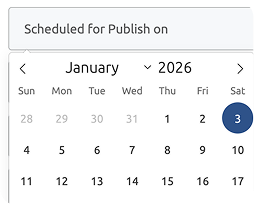
Scheduled Publishing
Set specific future dates and times to publish solicitations to automate processes.
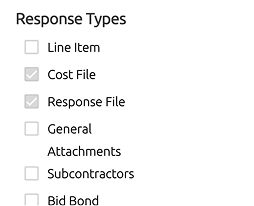
Set Submission Requirements
Determine which documents are required or optional to upload for bid submissions.
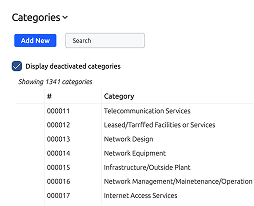
Set Commodity Codes
Choose from NAICS, NIGP, or homegrown commodity codes for common goods and services.
FEATURES
Bid Broadcast
Send solicitation notifications to vendors in a designated search area or search by location, category, and demographics to expand your vendor pool and reach.
Bid Broadcast
Send solicitation notifications to vendors in a designated search area or search by location, category, and demographics to expand your vendor pool and reach.
Extended Network
Publish your bid to the entire PlanetBids member agency network of vendors and suppliers.
Extended Network
Publish your bid to the entire PlanetBids member agency network of vendors and suppliers.
Notification Criteria
Set guidelines for which vendors to notify based on the type of solicitation released.
Notification Criteria
Set guidelines for which vendors to notify based on the type of solicitation released.
Scheduled Publishing
Set specific future dates and times to publish solicitations to automate processes.
Scheduled Publishing
Set specific future dates and times to publish solicitations to automate processes.
Set Submission Requirements
Determine which documents are required or optional to upload for bid submissions.
Set Submission Requirements
Determine which documents are required or optional to upload for bid submissions.
Set Commodity Codes
Choose from NAICS, NIGP, or homegrown commodity codes for common goods and services.
Set Commodity Codes
Choose from NAICS, NIGP, or homegrown commodity codes for common goods and services.
PROBLEMS SOLVED
- Posting in newspaper or on a webpage limits visibility of new solicitations.
- Small vendor networks limit competition, costing your agency and taxpayers money.
- Vendors aren’t notified of new solicitations and may miss opportunities to bid.
- Lack of transparency into public spending leads to distrust and time-consuming FOIA requests.
- Unclear bid requirements cause tons of questions or missing documentation.
BENEFITS
- Expand your vendor reach to grow your network and increase competition.
- Preregister and prequalify vendors to streamline the bid and award process.
- Make it easier for vendors and suppliers to find and bid on new opportunities.
- Automatically notify vendors and the public of new opportunities in a high-visibility location.
- Easily attach addenda and automatically notify vendors of updates to solicitations.
- Request common business documents to streamline the award process.
HOW IT WORKS
Once the solicitation is approved, it’s ready for release to your agency’s dedicated and customized Vendor Portal. Solicitations can be released manually in real time, or by setting them to publish on a schedule. Advanced bidding options for public works and construction and line item bidding options ensure responses are comprehensive and correctly formatted.
Agencies can choose to send new solicitation notifications to only registered vendors, search for new vendors based on several categories, or tap into PlanetBids’ vast database of registered vendors from other agencies to expand their reach and drum up more competition.
FEATURES
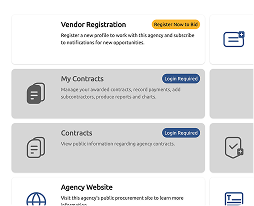
Vendor Portal
Allow vendors to register with your agency and get automatic notifications when new solicitations are posted.
Prequalification
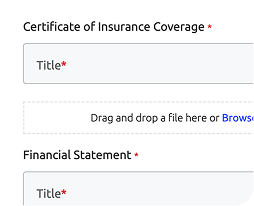
Vendors can automatically enter information and submit documentation to show they are qualified for public contracts.
Digital Submission
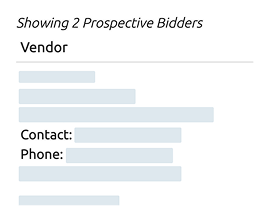
Vendors submit bids electronically instead of in person with paper bid packages.
Clear Communication
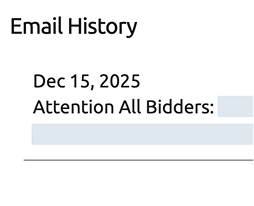
Automatic notifications for addenda and Q&A responses ensure all vendors receive the latest information.
AI-Powered Q&A
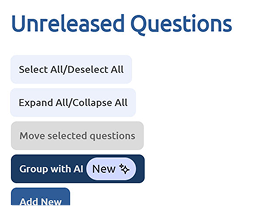
Let AI group all similar questions together so you can answer them all at once instead of posting the same response multiple times.
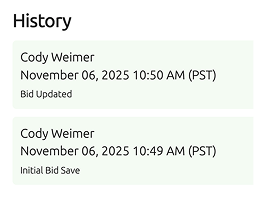
Protest Protection
Solicitation release, response tracking, and communication audit trails keep you transparent and audit-ready and reduce FOIA requests.
Flexible Response Types
Choose whether to allow bid submissions by lump sum, line item pricing, calculation with net terms, etc.
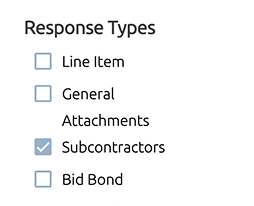
Subs and Primes
Choose whether to allow subcontractors to submit their own bids individually or to submit all bids under the prime.
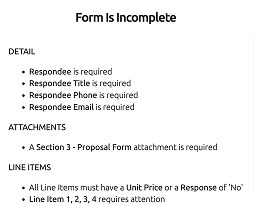
Complete Bids
Incomplete bids or missing documentation is flagged and cannot be submitted until completed.
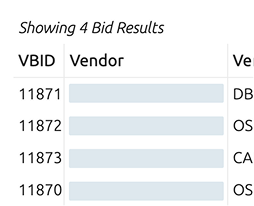
Secure Submission
All bids are received via lock-box encryption and are sealed until the bid opening date.
FEATURES
Vendor Portal
Allow vendors to register with your agency and get automatic notifications when new solicitations are posted.
Vendor Portal
Allow vendors to register with your agency and get automatic notifications when new solicitations are posted.
Prequalification
Vendors can automatically enter information and submit documentation to show they are qualified for public contracts.
Prequalification
Vendors can automatically enter information and submit documentation to show they are qualified for public contracts.
Digital Submission
Vendors submit bids electronically instead of in person with paper bid packages.
Digital Submission
Vendors submit bids electronically instead of in person with paper bid packages.
Clear Communication
Automatic notifications for addenda and Q&A responses ensure all vendors receive the latest information.
Clear Communication
Automatic notifications for addenda and Q&A responses ensure all vendors receive the latest information.
AI-Powered Q&A
Let AI group all similar questions together so you can answer them all at once instead of posting the same response multiple times.
AI-Powered Q&A
Let AI group all similar questions together so you can answer them all at once instead of posting the same response multiple times.
Protest Protection
Solicitation release, response tracking, and communication audit trails keep you transparent and audit-ready and reduce FOIA requests.
Protest Protection
Solicitation release, response tracking, and communication audit trails keep you transparent and audit-ready and reduce FOIA requests.
Flexible Response Types
Choose whether to allow bid submissions by lump sum, line item pricing, calculation with net terms, etc.
Flexible Response Types
Choose whether to allow bid submissions by lump sum, line item pricing, calculation with net terms, etc.
Subs and Primes
Choose whether to allow subcontractors to submit their own bids individually or to submit all bids under the prime.
Subs and Primes
Choose whether to allow subcontractors to submit their own bids individually or to submit all bids under the prime.
Complete Bids
Incomplete bids or missing documentation is flagged and cannot be submitted until completed.
Complete Bids
Incomplete bids or missing documentation is flagged and cannot be submitted until completed.
Secure Submission
All bids are received via lock-box encryption and are sealed until the bid opening date.
Secure Submission
All bids are received via lock-box encryption and are sealed until the bid opening date.
PROBLEMS SOLVED
- Bid submissions are incomplete or tossed out because vendors missed addenda or Q&As.
- Resources are wasted on paper bid submissions and in-person bid acceptance.
- Bids are late or lost when mailed in or due to extenuating circumstances like weather.
- Emails and phone calls are time-consuming and easily missed or lost.
- Lack of transparency into communication and bid processes lead to bid protests and FOIA requests.
BENEFITS
- Eliminate paper bids and in-person submissions.
- Expand your vendor pool by allowing vendors from outside your area to bid digitally.
- Increase transparency and keep the agency safe from valid bid protests.
- Comprehensive and trackable information release to vendors eliminates incomplete submissions or no-bids.
- Boost vendor relationships by improving communication.
- Save time by eliminating annoying phone calls and emails and by grouping similar questions with AI and answering them once.
- Customize how you want to receive bid responses to fit your evaluation criteria.
HOW IT WORKS
Existing or interested vendors and suppliers register for free in the agency’s dedicated vendor portal, where they can submit documentation to prequalify for specific contracts and set criteria to be automatically notified of new opportunities.
All bid documents can be downloaded directly from the portal, including addenda and any relevant Q&A. Bidders submit their bids directly within the portal via a secured, encrypted digital lock-box, based on the response type criteria determined by the agency.
The agency receives and responds to any questions digitally, automatically pushing responses out to all bidders, and sets criteria for subcontractors and primes, line-item vs. lump sum bid pricing, and other relevant options. The agency can track participation and responses based on specific criteria to get insights into reach and diversity initiatives.
FEATURES
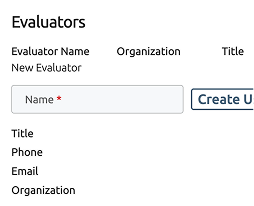
Unlimited Evaluators
Set any internal or external stakeholders to be evaluators without additional charge.
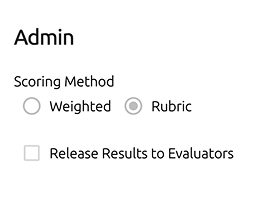
Blind or Open Evaluation
Allow evaluators to see each other’s responses or keep them secret until award.
Evaluate from Anywhere
Evaluators can work remotely or in-office while still maintaining security.
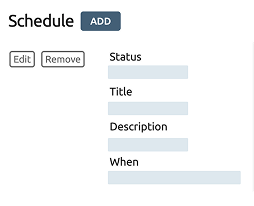
Seamless Collaboration
Schedule meetings and share documents directly with all evaluators and stakeholders.
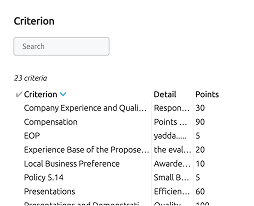
Define Criteria
Set scoring formulas, weighting of bid factors, number of rounds of scoring, and more options.
Non-Pricing Scoring
Build scoring metrics to review and score without knowledge of pricing to recommend the most responsive bidder, prioritize technical qualifications, or select most likely to perform.
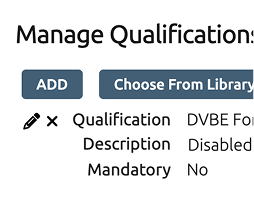
Pre-Evaluation Review
Check technical qualifications prior to evaluation to save time on no-bids.
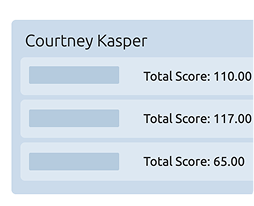
Achieve Consensus
Proposal strength and weakness reporting maintains transparency and eliminates ambiguity.
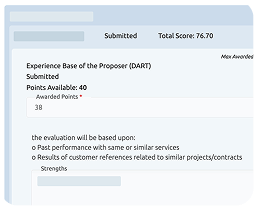
Clear Audit Trails
Set transparent evaluation criteria, demonstrate scoring clearly, and document the entire decision-making process.
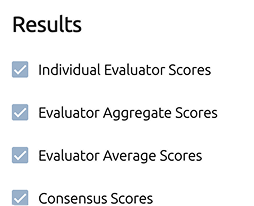
Maintain Compliance
Automatically reveal the right information to the right people at the right time to maintain regulatory conformity.
FEATURES
Unlimited Evaluators
Set any internal or external stakeholders to be evaluators without additional charge.
Unlimited Evaluators
Set any internal or external stakeholders to be evaluators without additional charge.
Blind or Open Evaluation
Allow evaluators to see each other’s responses or keep them secret until award.
Blind or Open Evaluation
Allow evaluators to see each other’s responses or keep them secret until award.
Evaluate from Anywhere
Evaluators can work remotely or in-office while still maintaining security.
Evaluate from Anywhere
Evaluators can work remotely or in-office while still maintaining security.
Seamless Collaboration
Schedule meetings and share documents directly with all evaluators and stakeholders.
Seamless Collaboration
Schedule meetings and share documents directly with all evaluators and stakeholders.
Define Criteria
Set scoring formulas, weighting of bid factors, number of rounds of scoring, and more options.
Define Criteria
Set scoring formulas, weighting of bid factors, number of rounds of scoring, and more options.
Non-Pricing Scoring
Build scoring metrics to review and score without knowledge of pricing to recommend the most responsive bidder, prioritize technical qualifications, or select most likely to perform.
Non-Pricing Scoring
Build scoring metrics to review and score without knowledge of pricing to recommend the most responsive bidder, prioritize technical qualifications, or select most likely to perform.
Pre-Evaluation Review
Check technical qualifications prior to evaluation to save time on no-bids.
Pre-Evaluation Review
Check technical qualifications prior to evaluation to save time on no-bids.
Achieve Consensus
Proposal strength and weakness reporting maintains transparency and eliminates ambiguity.
Achieve Consensus
Proposal strength and weakness reporting maintains transparency and eliminates ambiguity.
Clear Audit Trails
Set transparent evaluation criteria, demonstrate scoring clearly, and document the entire decision-making process.
Clear Audit Trails
Set transparent evaluation criteria, demonstrate scoring clearly, and document the entire decision-making process.
Maintain Compliance
Automatically reveal the right information to the right people at the right time to maintain regulatory conformity.
Maintain Compliance
Automatically reveal the right information to the right people at the right time to maintain regulatory conformity.
PROBLEMS SOLVED
- Evaluators spend time on bids that don’t meet technical or submission qualifications.
- Confusing formulas and weighting metrics lead to miscalculations and errors.
- In-person evaluations waste valuable time and resources.
- Manual, paper-based or spreadsheet-based evaluations are error-prone and time-consuming.
- Lack of visibility into priorities cause projects to not be awarded to the most advantageous bid.
- Missed communication and lack of collaboration cause confusion and misinformation.
- Lack of transparency into evaluation criteria and scoring lead to bid protests and FOIA requests.
BENEFITS
- Allow unlimited internal and external evaluators to access system at no extra charge.
- Ensure fairness and transparency across evaluations and eliminate valid bid protests and FOIA requests.
- Evaluate formal or informal bids easily.
- Eliminate incorrect calculations or confusion on scoring metrics.
- Set project-specific criteria for scoring and weighting to choose the most qualified and most responsive bidders.
- Ensure security and stay on the right side of regulatory compliance.
Improve communication and collaboration across evaluators and departments.
HOW IT WORKS
Once all bid submissions have been received and the bid is closed, it’s time to evaluate the bid in PlanetBids Evaluations by setting up any internal or external users as evaluators for free and having them accept any acknowledgements directly within the system with a simple checkbox. These evaluators will be able to view all bids and process them in accordance with predetermined scoring metrics and weighting criteria in a preset number of rounds.
The agency can allow evaluators to work together to score or keep them blind until evaluation is complete, setting automatic notifications to reveal scoring and winners to evaluators and internal stakeholders based on predetermined timelines. Comprehensive audit trails, transparent scoring metrics, and documented collaboration and communication keep agencies and evaluators safe from public scrutiny and valid bid protests against your decision.
FEATURES
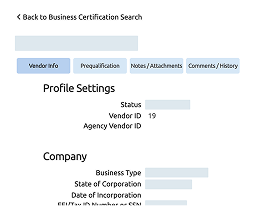
Business Certifications
Review and validate disadvantaged business certifications and set notifications for expiration.
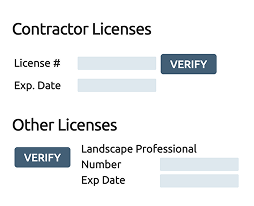
Insurance Certifications
Allow vendors to directly upload and verify relevant insurance certificates.
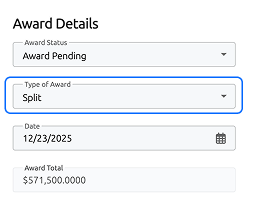
Pricing Types
Choose how to award the contract in terms of pricing, i.e. lump sum or line item.
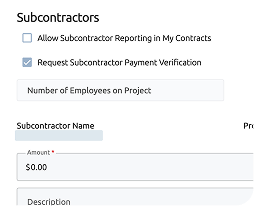
Multiple Award Types
Award both formal and informal bids with multiple stakeholders involved, such as prime/subcontractor situations.
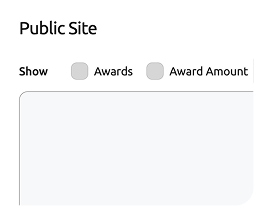
Public Notice
Choose what information to release in the vendor portal to meet public information requirements.
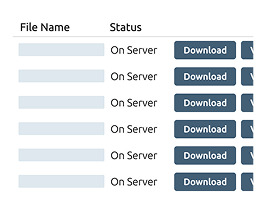
Centralized Storage
Collect and maintain all relevant contract documents, details, and revisions in one central digital location for easy access.
FEATURES
Business Certifications
Review and validate disadvantaged business certifications and set notifications for expiration.
Business Certifications
Review and validate disadvantaged business certifications and set notifications for expiration.
Insurance Certifications
Allow vendors to directly upload and verify relevant insurance certificates.
Insurance Certifications
Allow vendors to directly upload and verify relevant insurance certificates.
Pricing Types
Choose how to award the contract in terms of pricing, i.e. lump sum or line item.
Pricing Types
Choose how to award the contract in terms of pricing, i.e. lump sum or line item.
Multiple Award Types
Award both formal and informal bids with multiple stakeholders involved, such as prime/subcontractor situations.
Multiple Award Types
Award both formal and informal bids with multiple stakeholders involved, such as prime/subcontractor situations.
Public Notice
Choose what information to release in the vendor portal to meet public information requirements.
Public Notice
Choose what information to release in the vendor portal to meet public information requirements.
Centralized Storage
Collect and maintain all relevant contract documents, details, and revisions in one central digital location for easy access.
Centralized Storage
Collect and maintain all relevant contract documents, details, and revisions in one central digital location for easy access.
PROBLEMS SOLVED
- Critical contract documentation is missing, invalid, or expired.
- Insurance certifications must be tracked down with phone calls and emails.
- Disadvantaged or small business requirements are not met due to paperwork confusion.
- The public lacks transparency into who was awarded a contract and why.
- Each vendor in a project must be awarded individually, with separate contracts.
- Award notification is done in person, consuming valuable time and resources.
BENEFITS
- Ensure compliance with diversity initiatives and regulations.
- Receive, verify, and maintain up-to-date insurance certifications for agencies and vendors.
- Award multiple vendors or primes and subcontractors at once.
- Ensure transparency to the public and avoid unnecessary and time-intensive FOIA requests.
- Maintain all contract documents in one place to easily find and update later.
HOW IT WORKS
Once the evaluation is complete, it’s time to award the contract and announce the winner in the agency’s Vendor Portal. The agency can award all participating vendors at once, if desired, determine whether the contract will be awarded as a lump sum or line item pricing, and choose which information to release to the public to stay in compliance with state, local, or federal regulations.
At this time, any relevant small or disadvantaged business certifications and proof of insurance must be gathered and verified, and all relevant documentation is centrally and digitally stored in PlanetBids Contracts for maintenance.
FEATURES
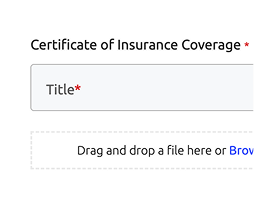
Insurance Certification
Allow vendors to upload their own insurance documentation directly to the system and send it to Contracts.
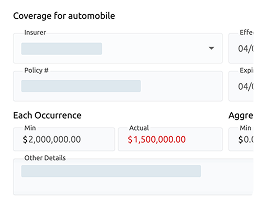
Automated Verification
Automatically ensure uploaded insurance certification meets requirements for proper coverage.
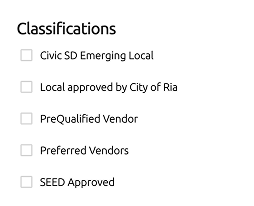
Business Certification
Flexible guidelines allow agencies to set their own requirements according to regulations.
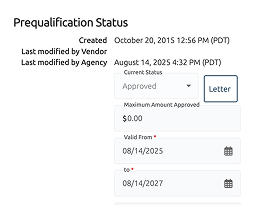
Prequalification
Verify and maintain vendor prequalification with relevant panels like CUPCAA in California.
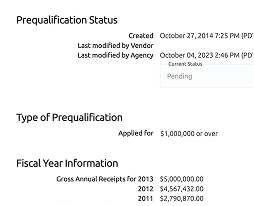
Verification Workflows
Determine whether to track compliance throughout the bid process or only after award.
List Registered Vendors
Determine whether to publicly list in the Vendor Portal all registered and prequalified vendors the agency works with.
List Existing Contracts
Determine whether to publicly list in the Vendor Portal all active contracts the agency currently has.
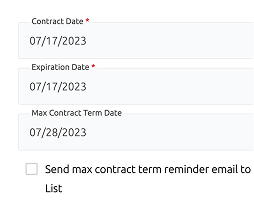
List Upcoming Contracts
Determine whether to list contracts that are about to be expired so vendors can see them.
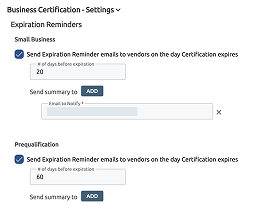
Upcoming Expirations
Get notifications of upcoming certification expirations and automatically schedule reminders to vendors.
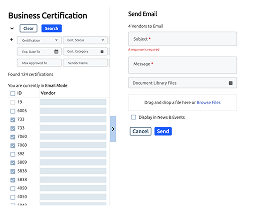
Bulk Send
Submit expiration and renewal reminders to multiple vendors at once.
Contract Expirations
Get notifications for upcoming contract expirations to start a new solicitation process and notify vendors of ending contracts.
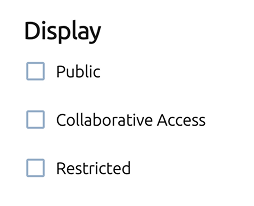
Contract Visibility
Determine whether to allow other agency teams edit contracts or view them as read-only.
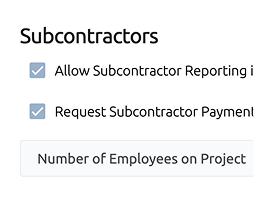
Purchase Orders
Allow vendors to submit their own purchase orders or invoices for goods and services.
Data and Analytics
View item-level pricing and historical vendor participation data.
FEATURES
Insurance Certification
Allow vendors to upload their own insurance documentation directly to the system and send it to Contracts.
Insurance Certification
Allow vendors to upload their own insurance documentation directly to the system and send it to Contracts.
Automated Verification
Automatically ensure uploaded insurance certification meets requirements for proper coverage.
Automated Verification
Automatically ensure uploaded insurance certification meets requirements for proper coverage.
Business Certification
Flexible guidelines allow agencies to set their own requirements according to regulations.
Business Certification
Flexible guidelines allow agencies to set their own requirements according to regulations.
Prequalification
Verify and maintain vendor prequalification with relevant panels like CUPCAA in California.
Prequalification
Verify and maintain vendor prequalification with relevant panels like CUPCAA in California.
Verification Workflows
Determine whether to track compliance throughout the bid process or only after award.
Verification Workflows
Determine whether to track compliance throughout the bid process or only after award.
List Registered Vendors
Determine whether to publicly list in the Vendor Portal all registered and prequalified vendors the agency works with.
List Registered Vendors
Determine whether to publicly list in the Vendor Portal all registered and prequalified vendors the agency works with.
List Existing Contracts
Determine whether to publicly list in the Vendor Portal all active contracts the agency currently has.
List Existing Contracts
Determine whether to publicly list in the Vendor Portal all active contracts the agency currently has.
List Upcoming Contracts
Determine whether to list contracts that are about to be expired so vendors can see them.
List Upcoming Contracts
Determine whether to list contracts that are about to be expired so vendors can see them.
Upcoming Expirations
Get notifications of upcoming certification expirations and automatically schedule reminders to vendors.
Upcoming Expirations
Get notifications of upcoming certification expirations and automatically schedule reminders to vendors.
Bulk Send
Submit expiration and renewal reminders to multiple vendors at once.
Bulk Send
Submit expiration and renewal reminders to multiple vendors at once.
Contract Expirations
Get notifications for upcoming contract expirations to start a new solicitation process and notify vendors of ending contracts.
Contract Expirations
Get notifications for upcoming contract expirations to start a new solicitation process and notify vendors of ending contracts.
Contract Visibility
Determine whether to allow other agency teams edit contracts or view them as read-only.
Contract Visibility
Determine whether to allow other agency teams edit contracts or view them as read-only.
Purchase Orders
Allow vendors to submit their own purchase orders or invoices for goods and services.
Purchase Orders
Allow vendors to submit their own purchase orders or invoices for goods and services.
Data and Analytics
View item-level pricing and historical vendor participation data.
Data and Analytics
View item-level pricing and historical vendor participation data.
PROBLEMS SOLVED
- Missing, incomplete, or expired certifications set agencies up for compliance risk.
- Manual certification and contract management is time-consuming and tedious.
- Paper-based or shared drive document and contract storage is inefficient and error-prone.
- Lack of visibility into contract status sets agencies up for waste and limits competition.
- Not sending expiring contracts out to bid costs agencies money.
- Missing or hard-to-find public information leads to time-intensive FOIA requests.
- Lack of insight into historical pricing and participation leave agencies reactive and unstrategic.
BENEFITS
- Eliminate overspending and increase competition by opening expiring contracts for new bidders.
- Decrease manual entry by automating acceptance and verification of documentation and notifications for expirations.
- Ensure regulatory compliance by collecting and maintaining relevant, up-to-date business documentation and proof of insurance.
- Eliminate FOIA requests by posting all relevant public information in the Vendor Portal.
- Get better visibility into performance and pricing with line item and vendor response reporting.
- Maintain visibility into contract status, ensure transparency across the agency, and demonstrate fiscal responsibility to the public.
HOW IT WORKS
Once the contract has been awarded and the project is off and running, the maintenance portion of the procurement begins in PlanetBids Vendors and Contracts. In this stage, agencies are maintaining accurate and up-to-date documentation for business certifications and proof of insurance, notifying vendors when their certifications are about to expire, and tracking and storing relevant contract data in a centralized digital repository for easy reference and auditing.
In this stage, agencies may choose to publicly list vendors they are working with or existing contracts they have open, and they may decide to notify the public of contracts that will soon expire and be up for public bid, increasing competition and ensuring they’re getting the best contract. They may also be monitoring existing and historical pricing and analyzing existing vendor participation to determine their most advantageous relationships and strategize future purchasing as the procurement lifecycle starts over again.
EXPAND YOUR PROCUREMENT
Our technology enables you to digitalize procurement and release your solicitations online to reach a wider vendor pool, boost efficiency, and lower costs.